Three ways in. The right one is already decided for you.

Swiptv does not sell the VPN itself. You bring a subscription from a company that supports WireGuard, or a server you run. What they hand you decides how you add it here.
Start from what you were given
Look at what is actually in your hands right now. That is the whole decision.
A file ending in .conf. Import a file. Nothing to type, nothing lost.
A block of text on screen. Paste a configuration, and copy every line.
Only separate values. Add manually. Slower, and easy to mistype.
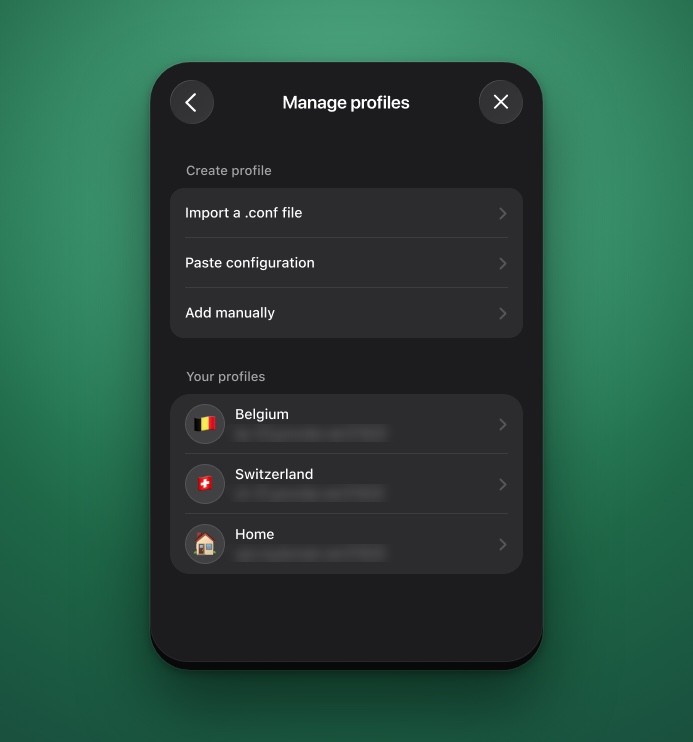
The three ways in, and the profiles you have already saved.
On Apple TV
tvOS has no file picker and no Files app, so a .conf file cannot be opened on the Apple TV itself. Send it from an iPhone, iPad or Mac instead: the file is read there, you scan a code on the TV, and only the values travel. Otherwise, paste or type them in on the TV.
They all end at the same place
Whichever route you take, the result is one profile in your list, and it behaves exactly the same. The only difference is how much can go wrong on the way, and how much of the configuration survives the trip.
If you can choose, take the file. It carries two values that hand-typing almost always loses.
One profile is one server
A configuration points at a single server, so it gives you a single country. If you want to switch between two, add two profiles and pick one in the list.